Quiz Shorts Maker: Finished Trivia Quiz Videos
A finished quiz video, not a template
Quiz videos keep people watching: they stop to answer, wait for the reveal, and comment their score. Making one by hand means laying out every screen, timing the countdown and lining up the sounds.
Quiz Shorts Maker does all of it and hands back the MP4.
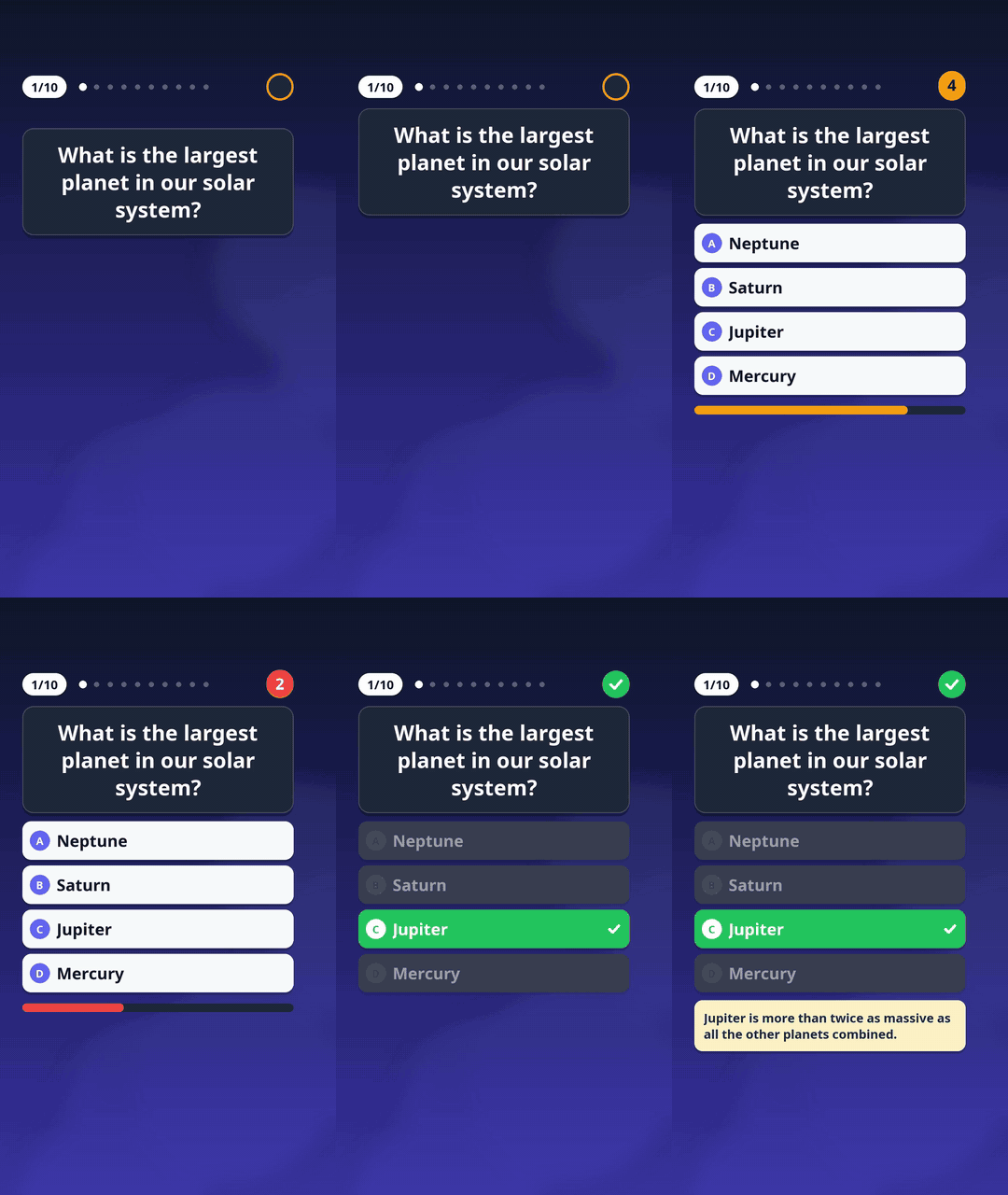
This clip is cut straight from a video this agent made in testing, unedited.
What you get
- A finished 1080x1920 MP4 at 30 fps, ready to post on TikTok, Reels or YouTube Shorts
- An opening hook ("How many can you get right?"), then for each question: the question card, the options popping in, a countdown with a shrinking bar, a number and a tick every second, and the right answer lit up with a one-line explanation and a chime
- A score card at the end with every answer, so viewers can count and comment
- Sound effects made by the tool itself. No music, so you can add your own in your editor. Or no sound at all, if you prefer
- questions.csv with each question, the answer and a column saying where to check it
- A post caption with hashtags, and a contact sheet of every answer screen
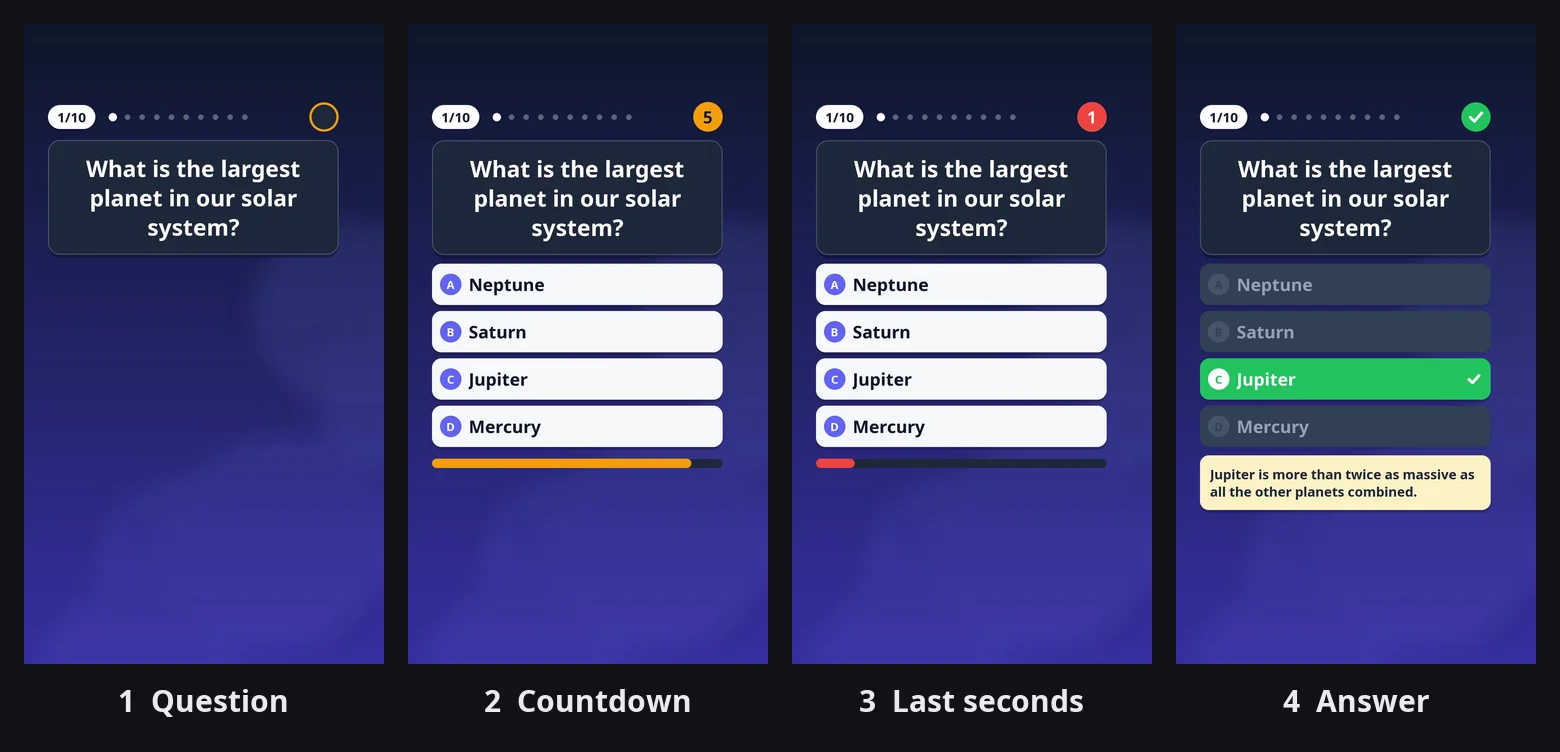
Two ways to start
- Give a topic: "10 questions about the solar system", "8 easy animal questions for kids". The agent writes the questions, sticks to facts that do not change, spreads the right answers across A-D, and adds a place to check every answer.
- Upload your questions as a CSV: question, A, B, C, D, answer, explanation. Two-option questions work too. The agent checks every row first and tells you exactly what to fix, for example an answer that is not one of the options.
Make it yours
- Three themes: midnight, sunset and chalk
- Countdown from 3 to 10 seconds (default 5)
- 5 to 15 questions, about 10-12 seconds each
- Languages: English, Spanish, French, German, Portuguese, Italian and other Latin-script languages, plus Japanese, Chinese and Korean
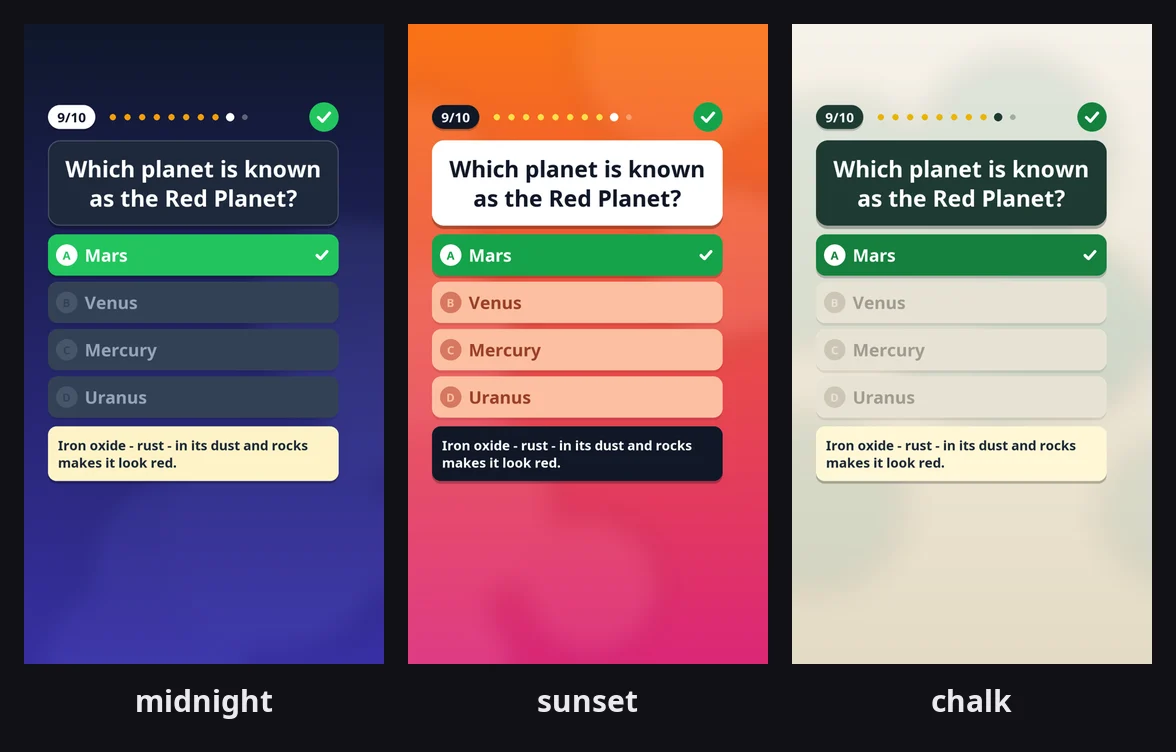
All text stays inside the area the apps leave clear: below the top bar, left of the like and comment buttons, and above the caption at the bottom. Long text is wrapped and shrunk to fit, and anything that cannot fit is caught before the video is made.
A 10-question video is about two minutes long and takes one to a few minutes to make. You can try one video free before paying.
What it will not do
- It does not check facts for you. Questions the agent writes come from the model's knowledge and can be wrong. Every answer comes with a place to check it, and you should check before posting.
- No voice, no music, no stock footage, no AI-generated images. Everything on screen is drawn by code.
- No news or rankings. Questions about current events, records, prices or "who is the current..." go out of date, so the agent avoids them.
- Scripts: Arabic, Hebrew, Hindi, Thai and similar scripts are not supported. Emoji are not drawn.
- No promises about views. It makes the video; how it does is up to the platform and your audience.
What goes online
The first run may download Pillow, imageio-ffmpeg and BudouX from PyPI, and for Japanese, Chinese or Korean a free Noto font from GitHub. Nothing about your quiz is sent to them. Your files stay in this session.
外部 API
PyPI · GitHub