ReceivaScope AI — Receivables Copilot

▶️ Watch the Product Demo on YouTube ---> https://youtu.be/UwNsaLK4ma4
ReceivaScope AI
Accounts Receivable & Payment Follow-Up Copilot
Know what is owed. Know what to do next.
When dozens of invoices are open, important follow-ups get lost in spreadsheets. One customer has a balance from last month. Another has a disputed invoice that should not receive a routine reminder. A third has paid part of a bill but still has a remaining balance. How do you spot the next action quickly — without inventing facts or using risky collection language?
ReceivaScope AI helps you convert your latest invoice CSV into a clear, repeatable receivables review. Analyze outstanding balances, organize overdue aging, identify priorities, compare successive exports, and draft respectful payment reminders for human approval.
Built for repeated use. Bring a fresh invoice export each week or month. The subscription provides ongoing access; it does not automatically connect to accounting tools, fetch payment records, or send messages.
📊 A clearer picture of outstanding invoices
Upload your invoice CSV to get:
- Auditable amounts — outstanding balances calculated as billed amount minus recorded payments.
- Overdue totals — invoices past their due dates, organized by currency.
- Invoice aging — current/not due, 1–30, 31–60, 61–90 and more than 90 days overdue.
- Customer balances — see which accounts have the largest outstanding balances.
- Action queue — prioritize follow-up using transparent, date-based rules.
- Special-case warnings — disputed and on-hold invoices are flagged for human review.
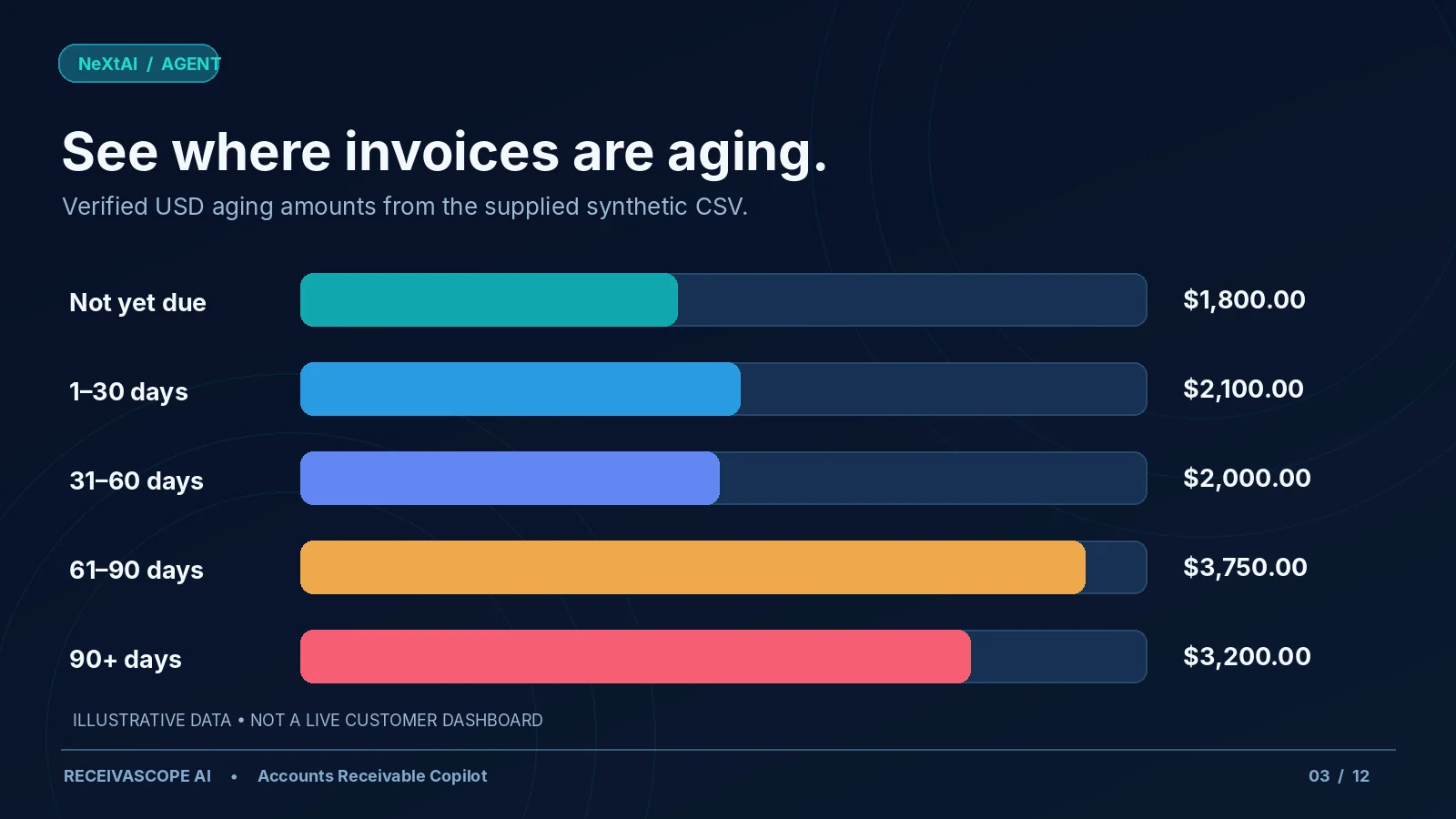
Multi-currency handled carefully: USD and EUR are never silently combined into a misleading total.
🔎 A real example — from CSV to decision
The included synthetic test file contains 12 invoices in USD and EUR. With the analysis date set to October 28, 2026, the deterministic reference engine reports:
| Reference finding | Amount |
|---|---|
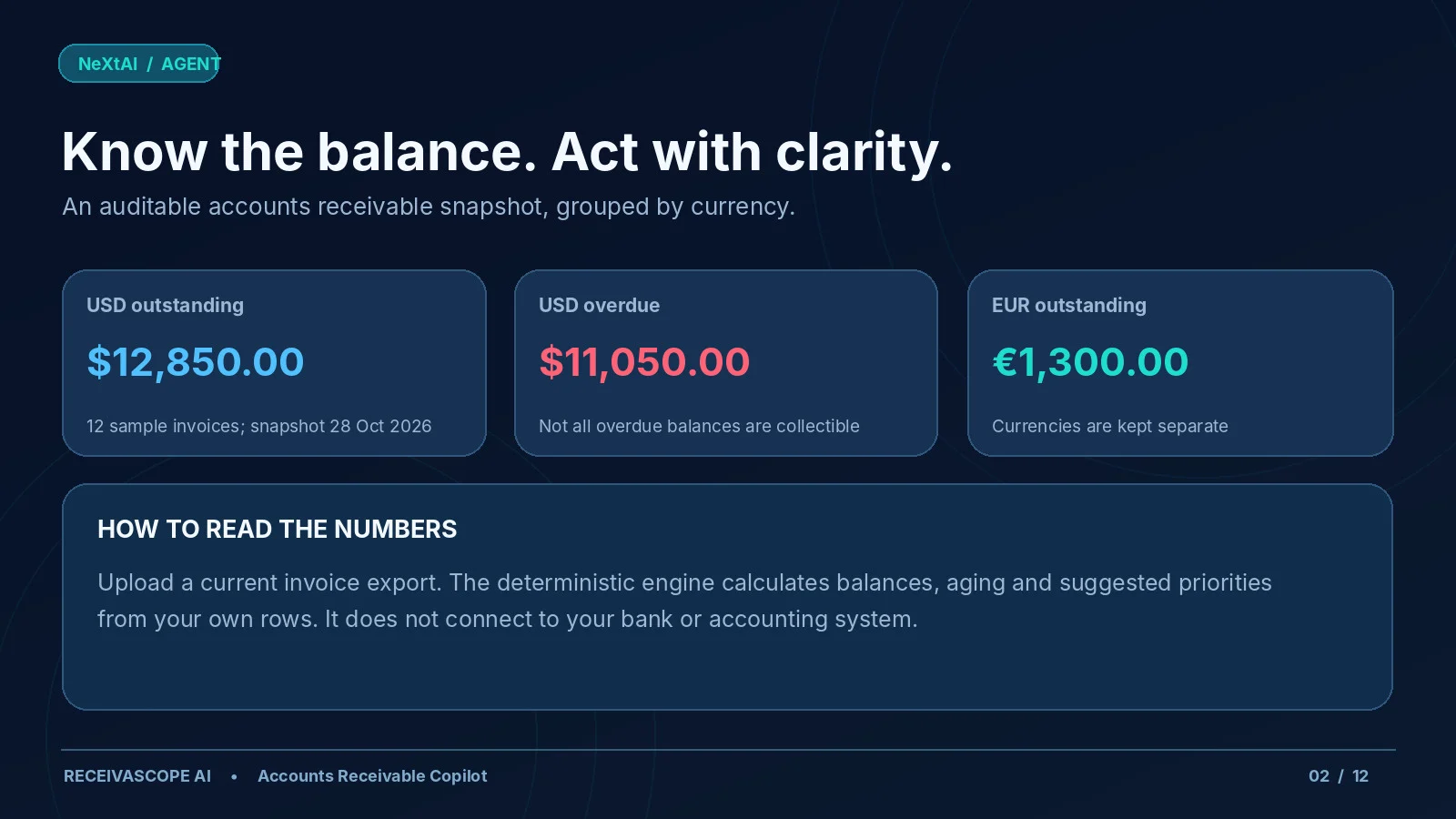
| USD outstanding | $12,850.00 |
| USD overdue | $11,050.00 |
| EUR outstanding | €1,300.00 |
| EUR overdue | €900.00 |
| USD disputed invoices | $3,750.00 |
The assistant can point to exact invoice IDs behind these amounts and suggest which cases deserve attention first. The figures come from the sample CSV, not a real business and not any promised performance improvement.
🧭 Know which invoice needs attention
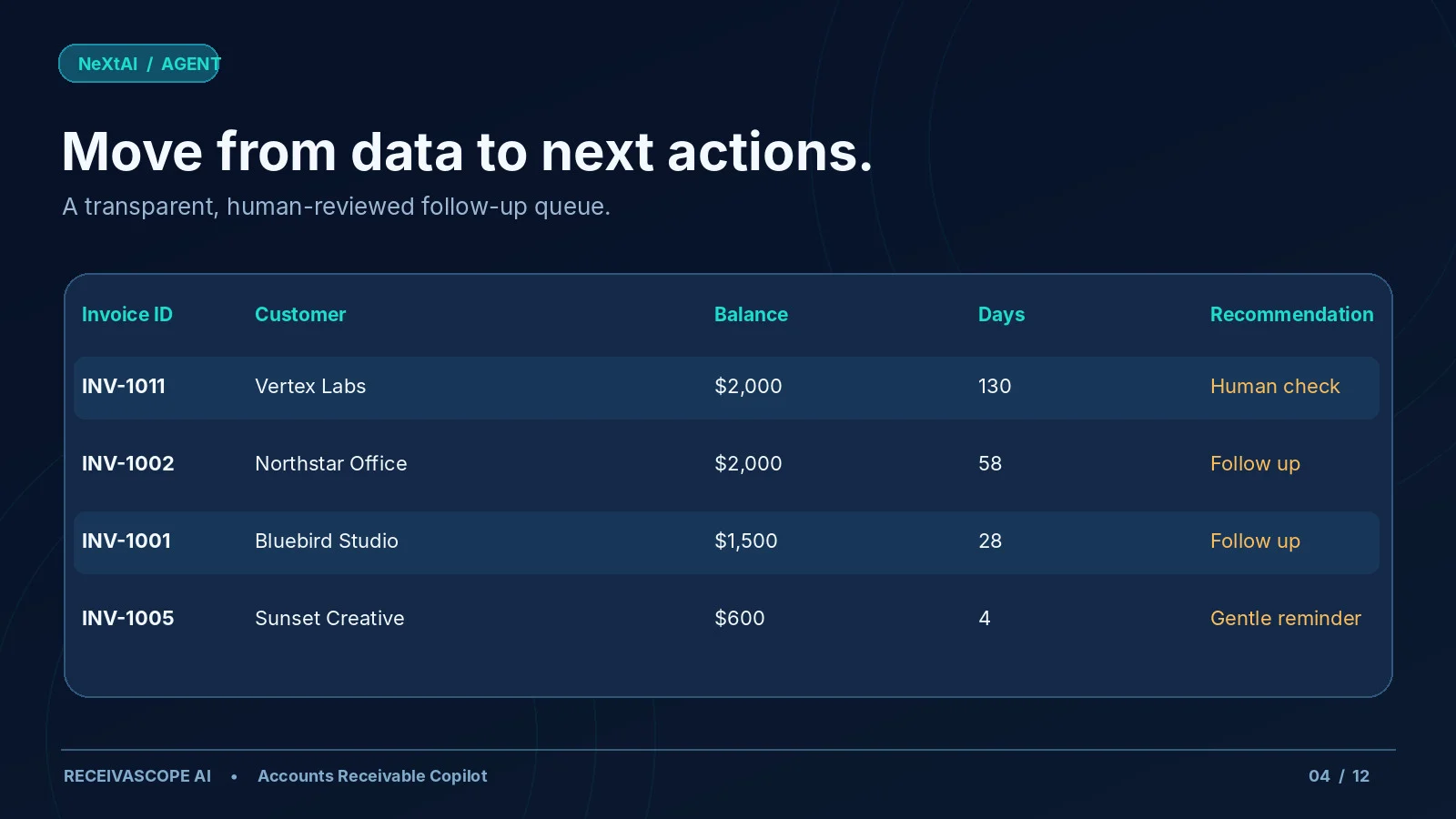 A practical review begins with the facts: invoice ID, customer, due date, remaining amount and any recorded hold or dispute.
Examples from the test file:
- INV-1005 — Sunset Creative: a recently overdue USD 600 balance. Prepare a polite reminder draft.
- INV-1002 — Northstar Office: a remaining USD 2,000 balance with a prior recorded partial payment. Verify the payment ledger and follow up respectfully.
- INV-1011 — Vertex Labs: an older USD 2,000 balance. Review the account personally before sending another routine reminder.
- INV-1004 — Orchid Retail: USD 3,750 flagged as disputed. Pause generic collection wording and request human verification.
Priority is a workflow suggestion, not a credit score, debt recovery prediction or legal determination.
🔄 Four steps you can repeat every month
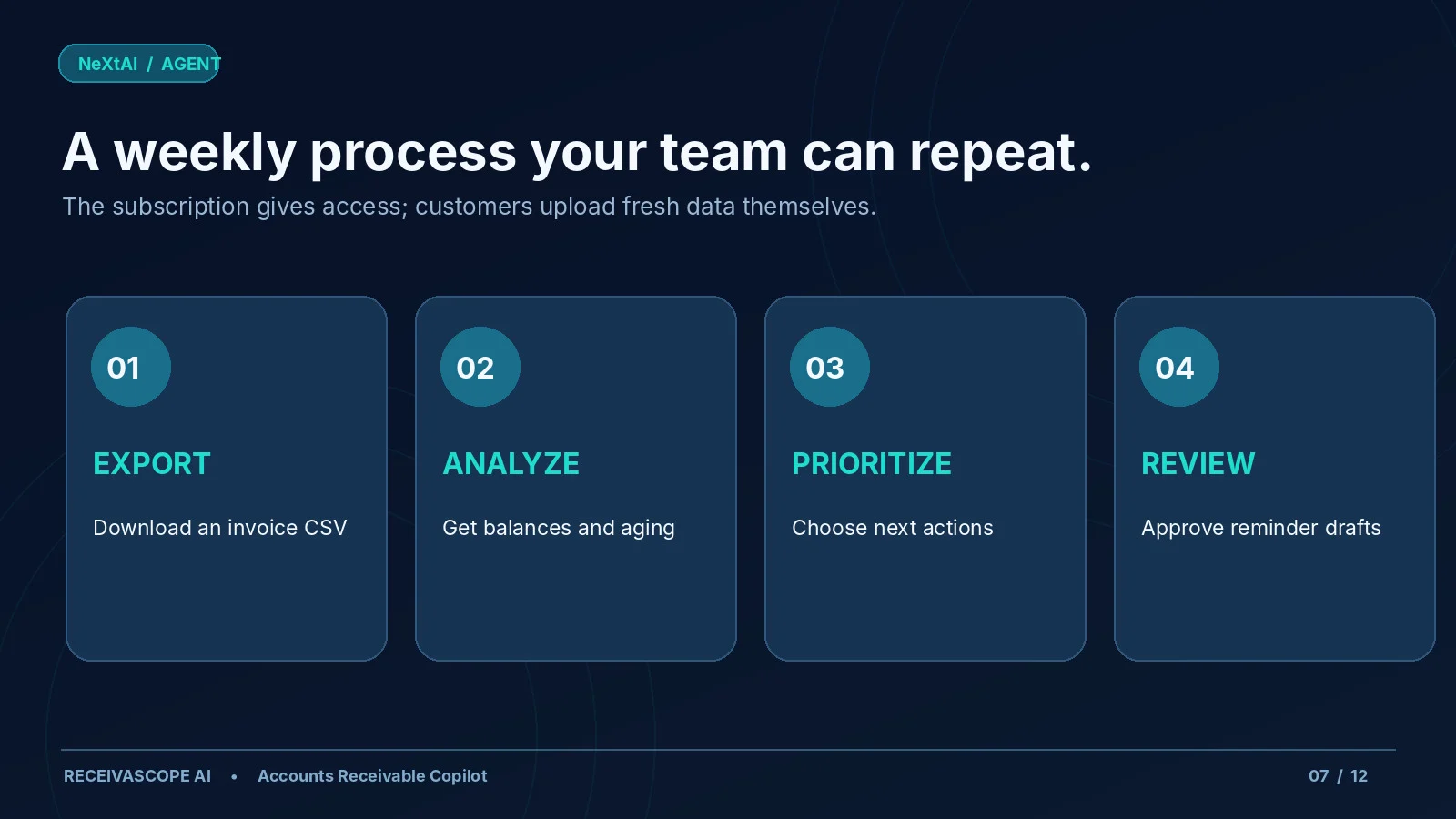
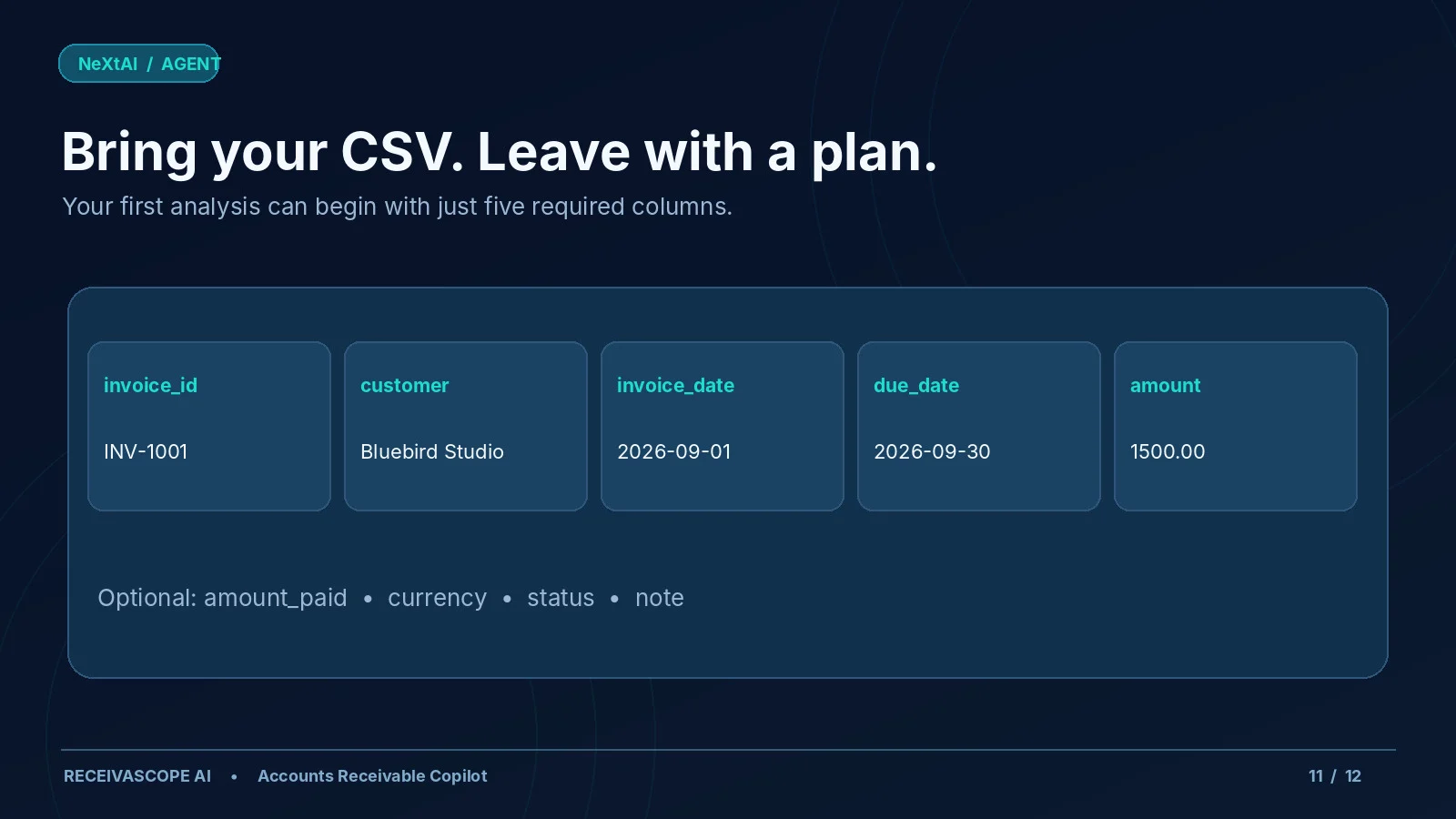
01 — EXPORT. Download your invoice register as a CSV with five required columns: invoice_id, customer, invoice_date, due_date, amount. Optional fields include amount_paid, currency, status and note.
02 — ANALYZE. Upload the latest file. The agent can use the included Python engine (when execution is available) to calculate balances, aging and customer-level totals.
03 — COMPARE. If you also upload an earlier CSV, see differences in balances and statuses. A disappeared invoice is described as “missing from new snapshot” — never incorrectly marked as paid.
04 — REVIEW & ACT. Ask for polite payment follow-up drafts and a checklist. Check invoices, company policy and applicable law before sending anything yourself.
✉️ Payment reminders without invented promises
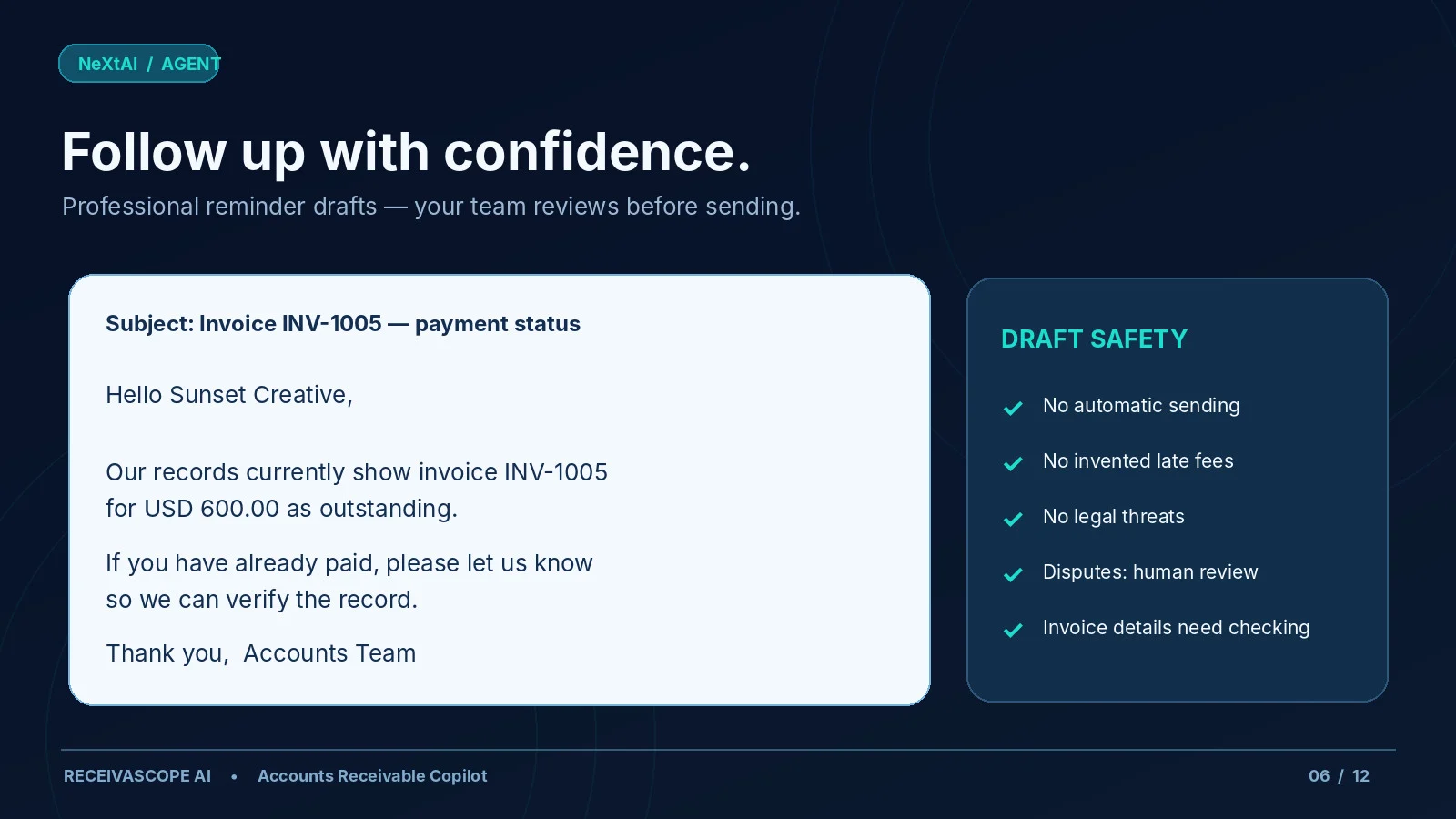
For eligible, non-disputed invoices, ReceivaScope can draft short, courteous reminders. The style evolves with the delay while avoiding aggressive language, unjustified late fees, invented payment links and legal threats.
Illustrative draft
Subject: Invoice INV-1005 — payment status
Hello Sunset Creative,
Our records currently show invoice INV-1005 for USD 600.00 as outstanding. If you have already paid, please let us know so we can verify the record.
Thank you,
Accounts Team
Draft only: Nothing is sent. A human must confirm the invoice balance, policy and final wording.
📆 Why an ongoing monthly subscription?
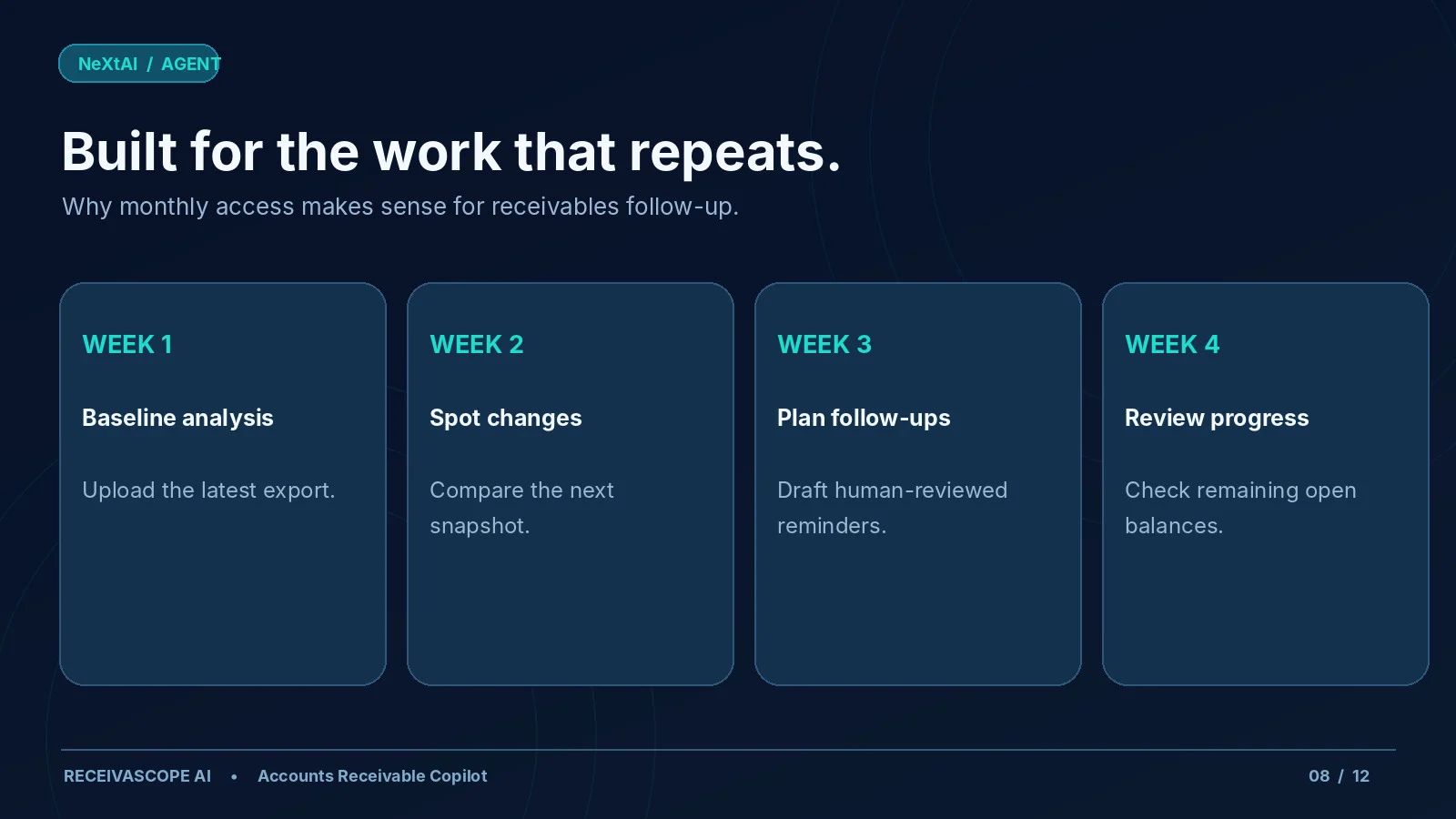
Receivables change as invoices are created, payments are recorded and due dates pass. A one-time report becomes stale.
Week 1: Establish a clean baseline from your latest CSV.
Week 2: Compare the next export and identify changing balances.
Week 3: Prepare targeted follow-ups for eligible outstanding invoices.
Week 4: Recheck the open list, exceptions and overdue distribution.
This is a suggested manual recurring workflow; there is no autonomous weekly monitoring or scheduled execution.
👥 Who benefits?
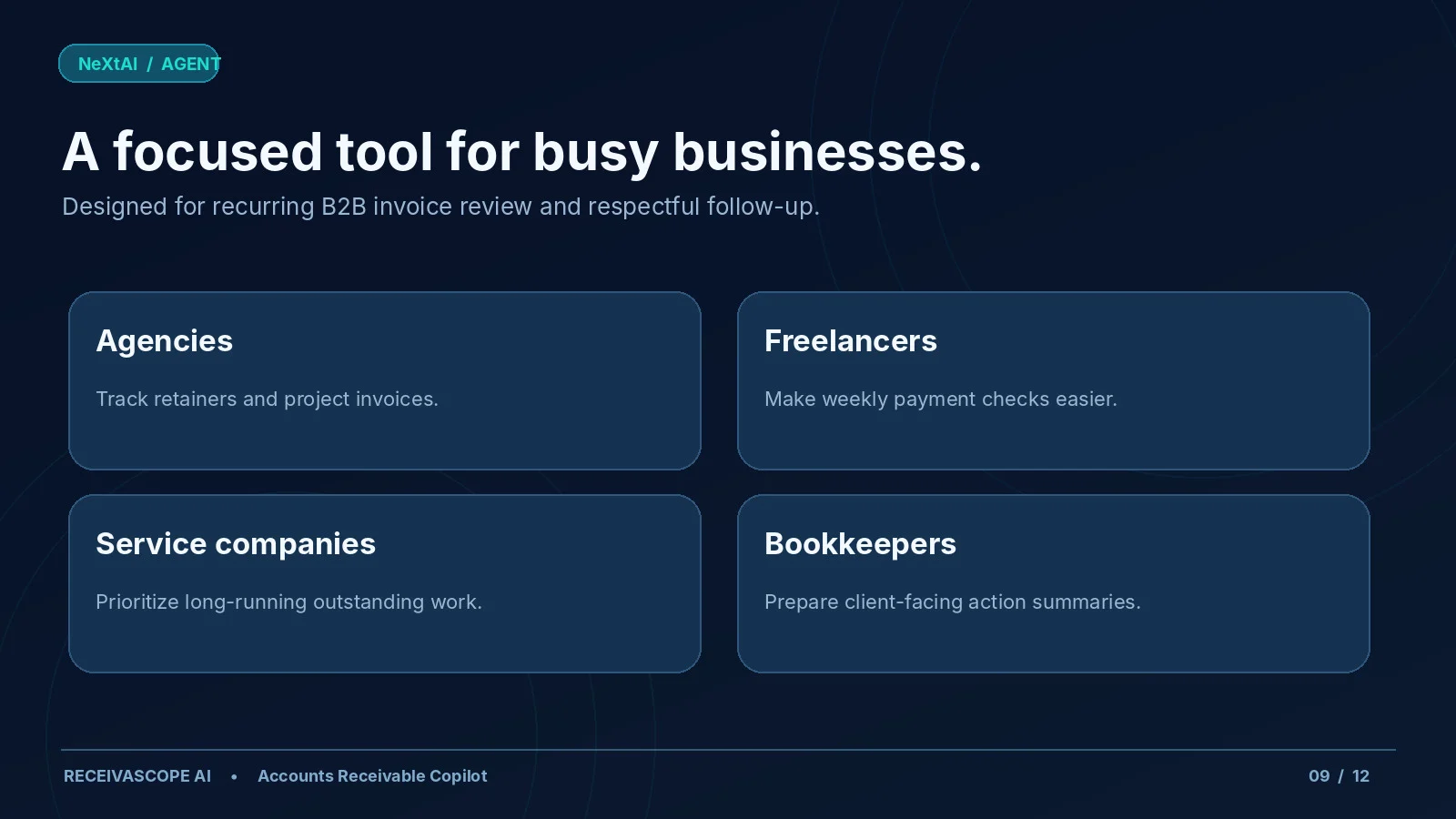
Agencies & studios: manage project invoices and retained services without losing sight of partial payments.
Freelancers & consultants: make invoice reviews a repeatable routine instead of opening the ledger ad hoc.
Service businesses: create a consistent review of overdue invoices and unusual cases.
Bookkeepers & operations teams: prepare structured summaries for an authorized colleague or business owner.
🛡️ Accurate by design — with explicit limitations
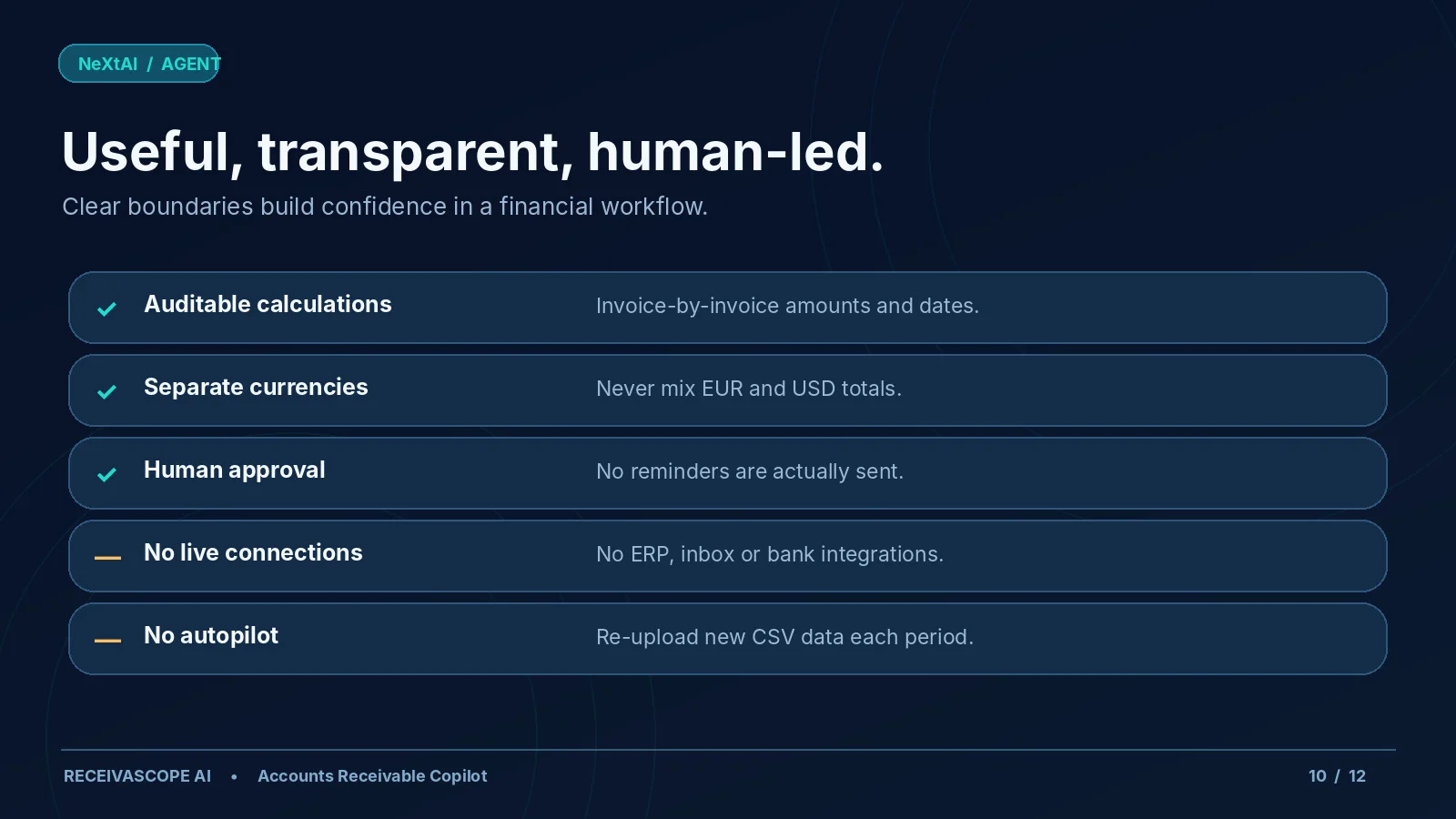
- The analysis depends on the completeness and accuracy of your CSV.
- Amounts are computed by the packaged Python scripts when Capafy's execution environment supports them.
- No live integrations with QuickBooks, Xero, banks, payment processors, emails or ERPs.
- No auto-send, no collection action, no automatic monitoring, no guaranteed recovery.
- No legal or financial advice, credit scores, payment probability forecasts or policy enforcement.
- Existing disputes and on-hold accounts require human review.
- Do not upload banking credentials, payment-card numbers or unnecessary personal data.
- A limited number of invoices and file size applies per upload; your subscription also has a monthly request quota.
Your team controls every final decision.
🚀 Try this first
“Analyze my uploaded invoice CSV as of October 28, 2026. Calculate overdue balances and aging separately by currency. Flag disputed items, list the five most important next actions with invoice IDs, and draft one polite, review-ready reminder. Do not send messages or invent payment confirmations.”
ReceivaScope AI — a clearer path from invoice data to the next follow-up.
Published by NeXtAI. Reference data and product graphics are synthetic/illustrative. The agent is a user-initiated analysis assistant, not an automated collection service.
▶️ Watch the Product Demo on YouTube -----> https://youtu.be/UwNsaLK4ma4