Shotcraft · The Director's Camera System
Shotcraft · The Director's Camera System
A director who will argue with you. Give it a scene and it decides what the audience must do first — then how the camera should move, including telling you how it should not.
Most AI video problems are not badly written prompts. They are shots that were never thought through: why does it move, who is the move for, what should the audience feel when it lands. Until those three are settled, more parameters only make the decoration heavier. This skill settles them first, then translates them into numbers.
The AI look has four causes
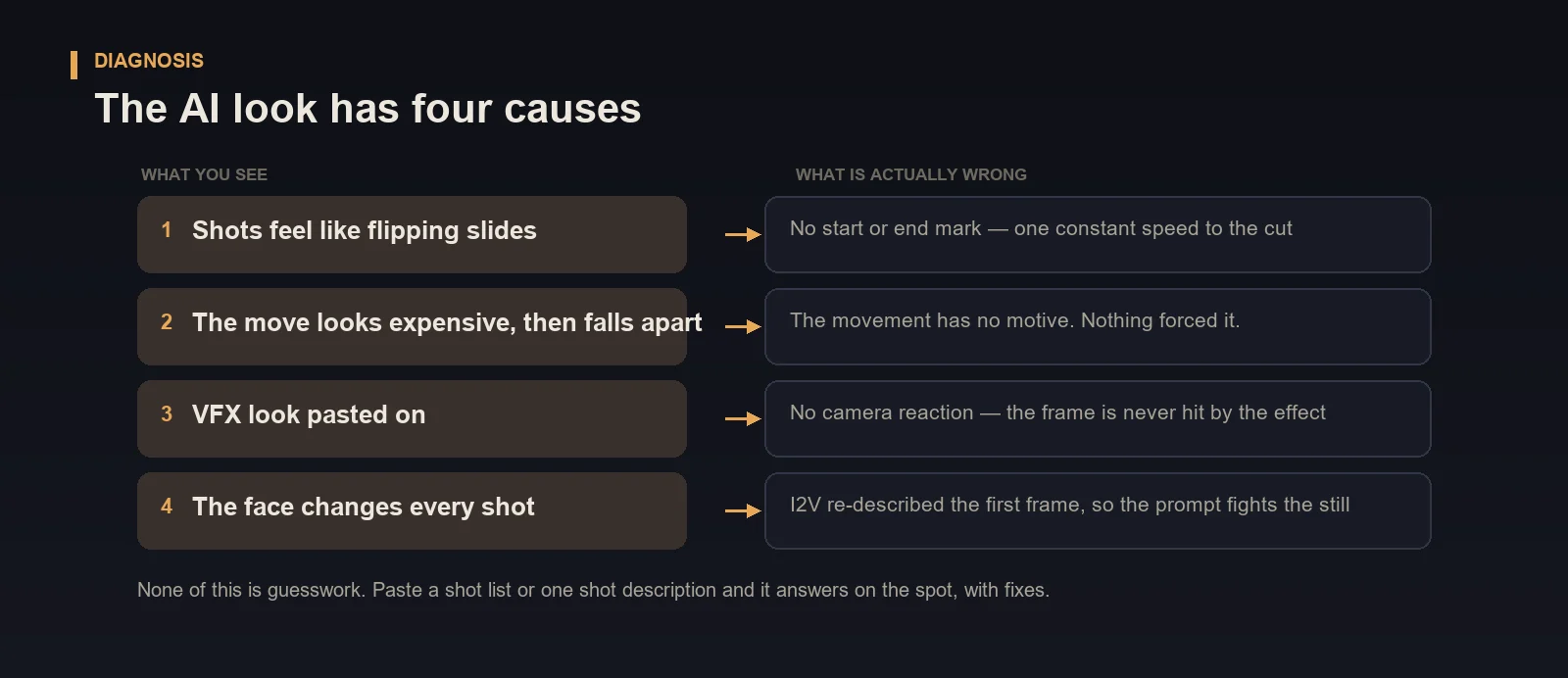
All four are visible on the first viewing, and none of them are fixed by switching models or piling on quality words. They are missing decisions, not missing render quality.
So it does not start by writing a prompt. It starts by asking what the scene is for.
Step 1 · The five-question shot test
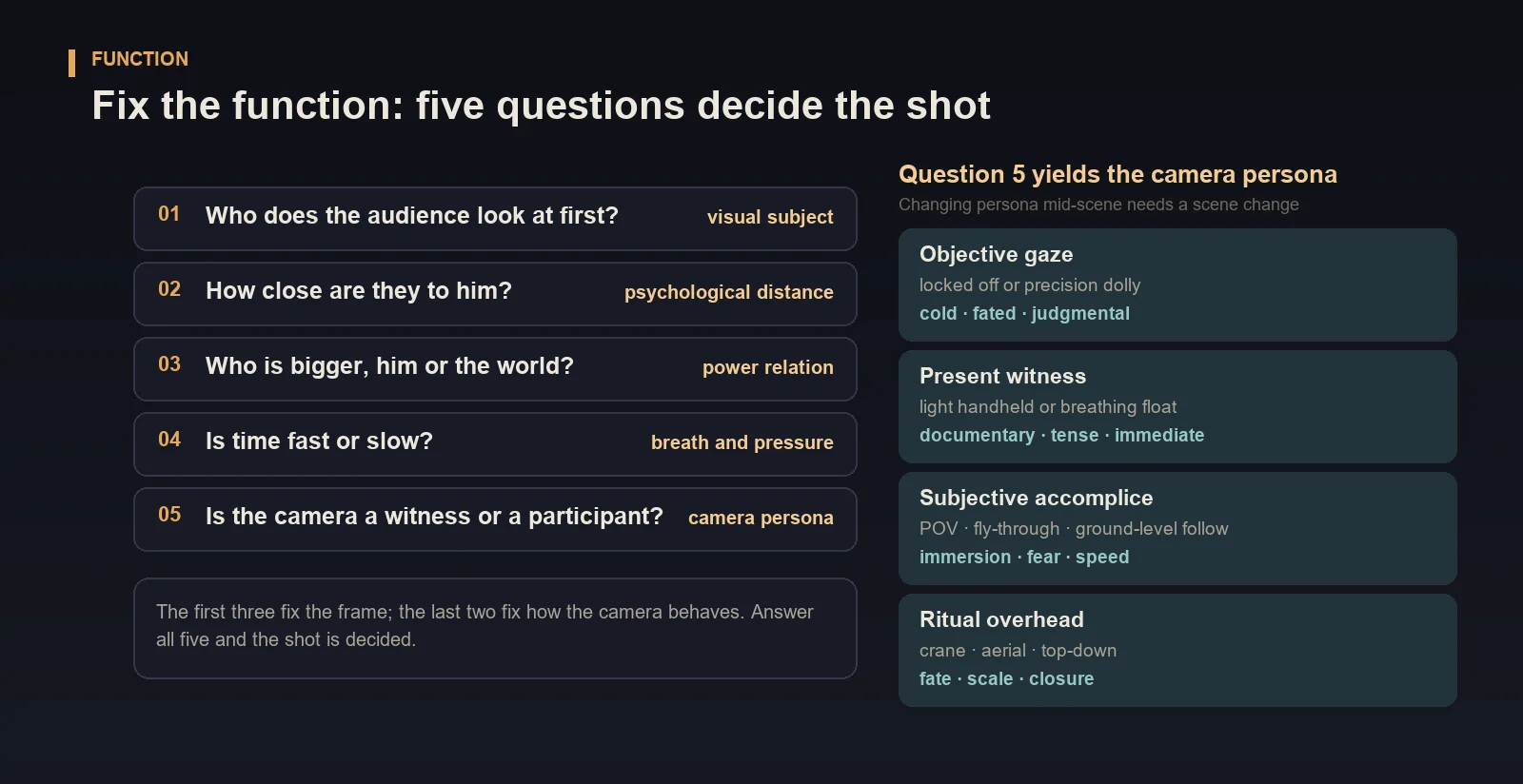
| # | Question | Decides | Maps to |
|---|---|---|---|
| 1 | Who does the audience look at first? | visual subject | composition · shot size |
| 2 | How close are they to him? | psychological distance | focal length · shot size |
| 3 | Who is bigger, him or the world? | power relation | camera height · compression |
| 4 | Is time fast or slow? | breath and pressure | rhythm · slow-mo / long take |
| 5 | Is the camera a witness or a participant? | camera persona | locked / handheld · POV / fly-through |
Question five produces the camera persona, the master switch for the whole scene: objective gaze, present witness, subjective accomplice, ritual overhead. Each carries its own movement habits. Changing persona mid-scene requires a scene change, or the audience loses orientation.
Step 2 · Translate emotion into six numbers
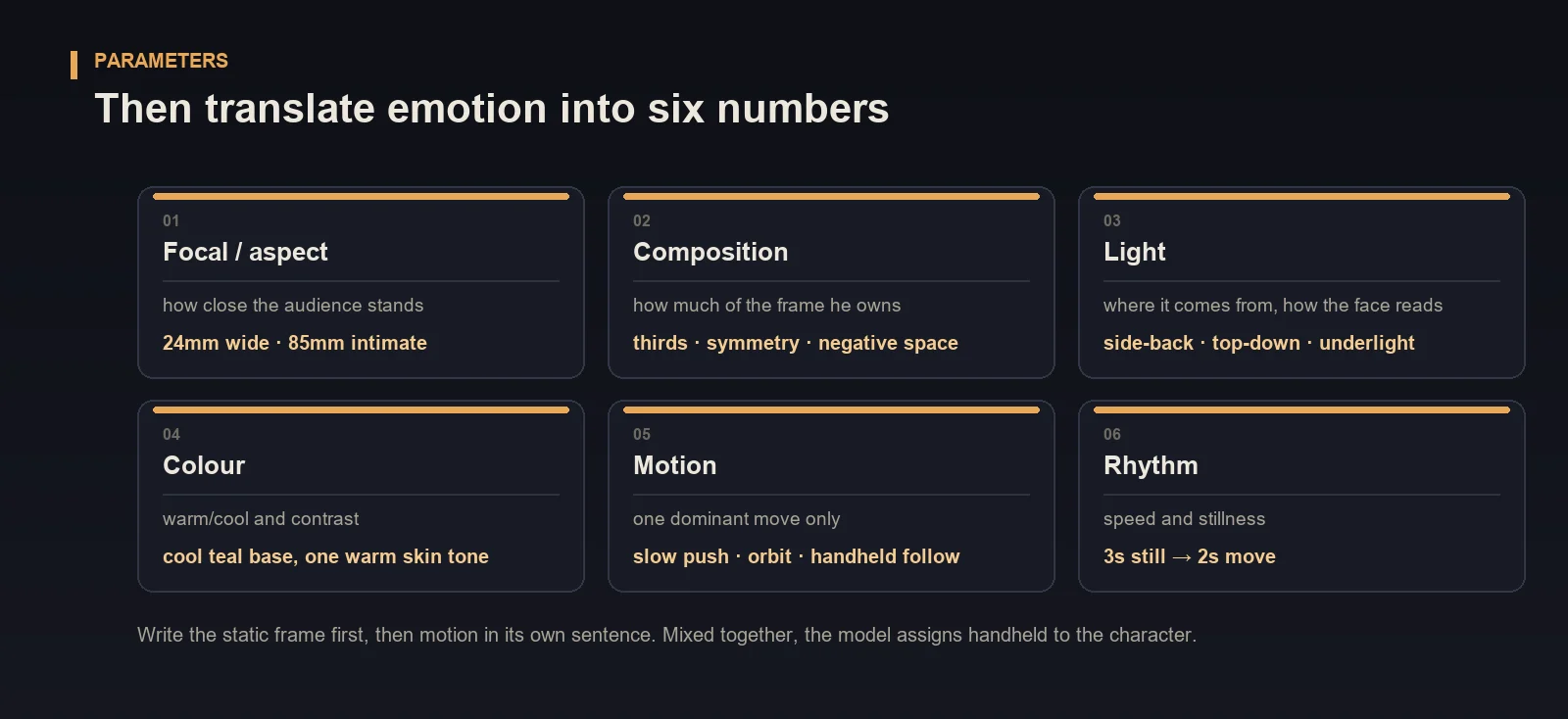
Focal length / aspect · composition · light · colour · motion · rhythm.
The rule that matters: write the static frame first, then motion in its own sentence. Mixed into one clause, the model assigns "handheld" to the character — a very common way a shot drifts.
Step 3 · Pick the route, then pass two gates
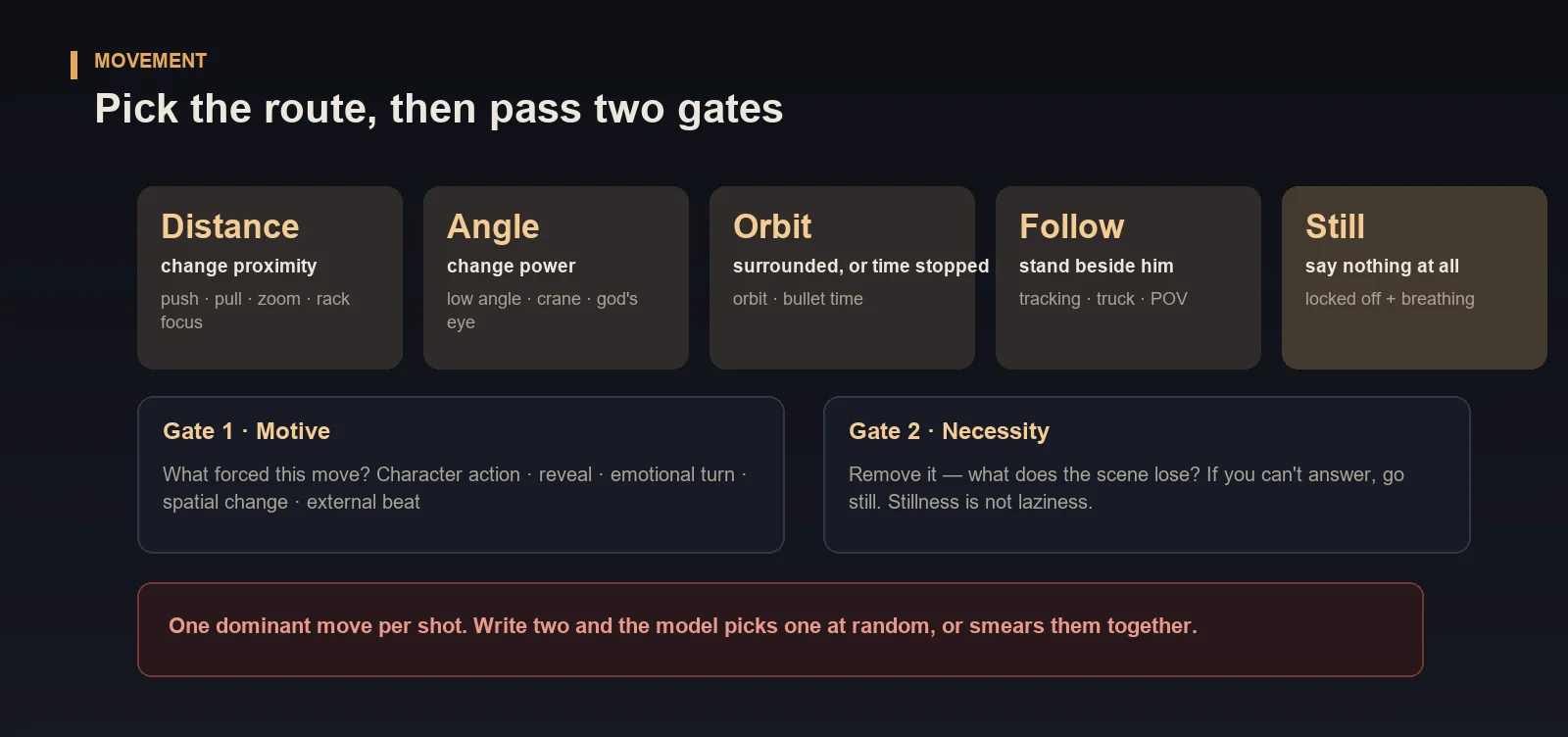
28 routes are grouped into five families — distance, angle, orbit, follow, still — indexed by the camera's relationship to the subject, not by difficulty. Then two gates:
- Motive — what forced this move? Character action, a reveal, an emotional turn, a spatial change, an external beat. At least one.
- Necessity — remove it. What does the scene lose? If you cannot answer, go still.
Stillness is not laziness, it is negative space. And one dominant move per shot — write two and the model picks one at random, or smears them together.
Text-to-video and image-to-video run opposite
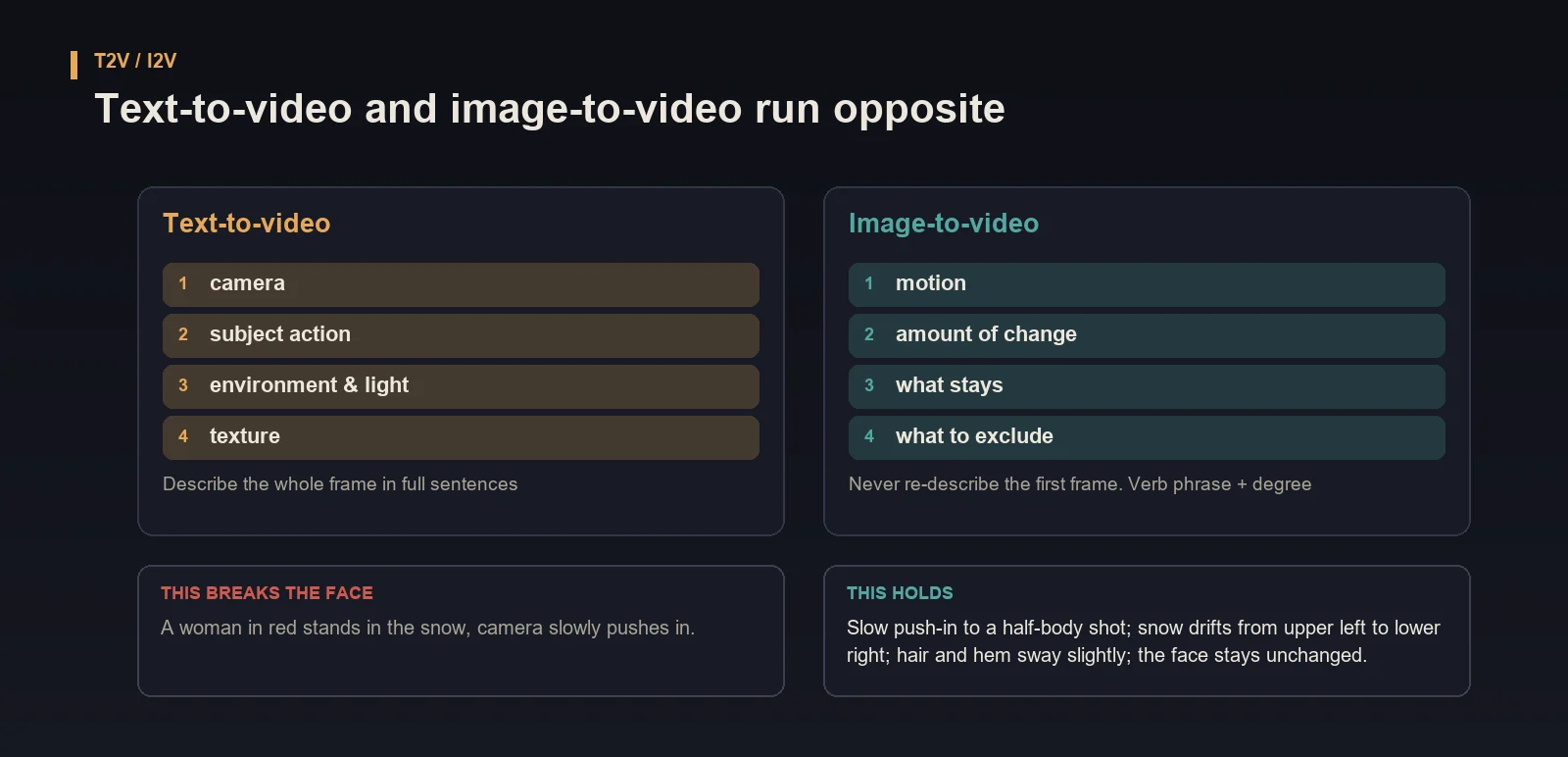
| T2V | I2V | |
|---|---|---|
| Order | camera → subject action → environment & light → texture | motion → amount of change → what stays → what to exclude |
| The frame | describe it all | never re-describe the first frame — it fights the still |
| Grammar | full sentences | verb phrase + degree (slightly / slowly / gradually) |
Same idea, two ways of writing it:
- ❌
A woman in red stands in the snow, camera slowly pushes in. - ✅
Slow push-in to a half-body shot; snow drifts from upper left to lower right; hair and hem sway slightly; the face stays unchanged.
The first one changes her face in I2V, because it re-described the opening frame.
What you get
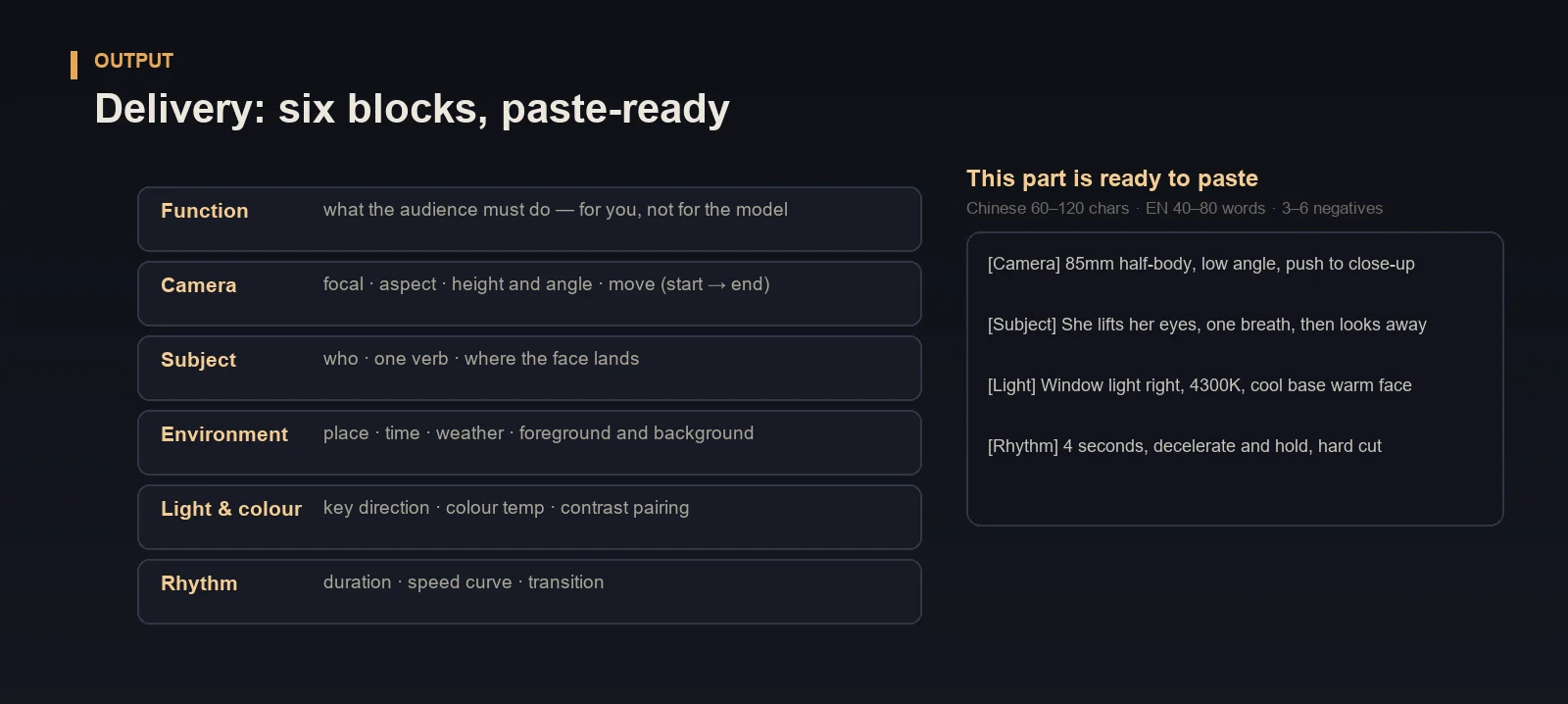
Six blocks. The first six lines are for your own checking; only the last three go to the model:
[Function] what the audience must do — for you, not for the model
[Camera] 85mm · 2.39:1 · low angle · slow push (start → end mark)
[Subject] she lifts her eyes, one breath, then looks away
[Environment] old office · dusk · overcast · blind shadows in foreground
[Light] window light right, 4300K · cool base, warm face · high contrast
[Rhythm] 4s · decelerate and hold · hard cut
—— paste-ready below ——
[ZH] continuous description, comma-separated, 60–120 characters
[EN] one paragraph, camera term first, 40–80 words
[NEG] 3–6 items, only this shot's real problems
Multi-shot projects also get a shot list plus a pacing curve (marking which shot is the still one). Series work additionally passes a per-episode consistency check.
What else it does
- Reviews your work — paste a shot list or a single shot; it ranks the worst three problems, then gives safe / better / bold fixes with the cost of each. It does not soften the diagnosis.
- Sets a visual style — 26 parameter recipes plus 6 originals. Name a director and it borrows the parameters, never the name: parameters are a shared language, names are a legal risk.
- Designs action and VFX — four laws, the three-shot strike, eight effect templates.
- Runs a series — four-beat episode pacing, emotional arcs across episodes, and a visual triptych (key colour / key light position / habitual move) that stays fixed for the whole run.
When not to use it
- You just want one pretty prompt and don't intend to think about what the shot is for — it will still give advice, and it will annoy you.
- You want it to generate video — it doesn't. It delivers prompts.
- You want it to write your plot or dialogue — it handles how to shoot, not what to write.
The laws, at a glance
| Law | Meaning |
|---|---|
| One verb per shot | "He lights a cigarette, looks up, exhales" — not "he remembers his life" |
| One dominant move | Write two and you are asking the model to choose |
| Start and end mark | Constant speed to the cut is a slideshow |
| Light must land | Direction inferable, subject and floor both cast shadows — otherwise it looks pasted |
| VFX needs four | speed trace · light feedback · environment feedback · camera reaction |
| No empty words | epic / cinematic / premium are largely ignored — translate them into focal, light, colour, speed |
| 3–6 negatives | A dozen dilutes each other |
FAQ
Q: I already have a shot list. Do I still need this?
Paste it in. It names the three worst problems and gives fixes — usually faster than rewriting from scratch.
Q: How is this different from a prompt template?
A template gives you sentences. This gives you judgement: whether the shot should move, which move, and why not the other one. Sentences break when you switch models. Judgement doesn't.
Q: Will it write "in the style of [director]"?
No. For commercial work it translates the style into six-dimension parameters — parameters only, never the name. That is both more stable and safer for you.
Q: Can it generate the video?
No, and it shouldn't. Its output is prompts you paste into Kling, Seedance, Veo or Sora. Generation depends on your own model and hardware.
Q: Does it hold up across a whole series?
Yes. Series projects start by fixing the visual triptych, then run consistency checks per episode so faces don't change between cuts and colour temperature doesn't drift between episodes.
v1.0 · 28 camera routes · 50 scene recipes · 26 visual parameter recipes · 6 original styles