
Workflow Audit + Proposal for AI Consultants
Turn a discovery call into a deliverable and a quote
You did the call. Now you need something to send that makes the client say yes. Paste your notes and get a client-ready workflow audit under your own name, then a priced proposal built from the same numbers.
How it works
0. Before the call (optional): reply prep with your client's pre-call form answers. You get which process to audit and why, plus the question script for the call, skipping what the form already answered. No form yet? prep gives you one to send them.
- Paste your notes. Your firm name, your build rate, and what the client told you about one process. Messy notes or a transcript are fine.
- Confirm the map. You get the steps back with times, volumes and who does what. Fix anything in one message, or say go.
- Get the audit. A client-ready report, plus private notes for you.
- Add what you need: reply proposal, build or email. Start a new chat for each new client.
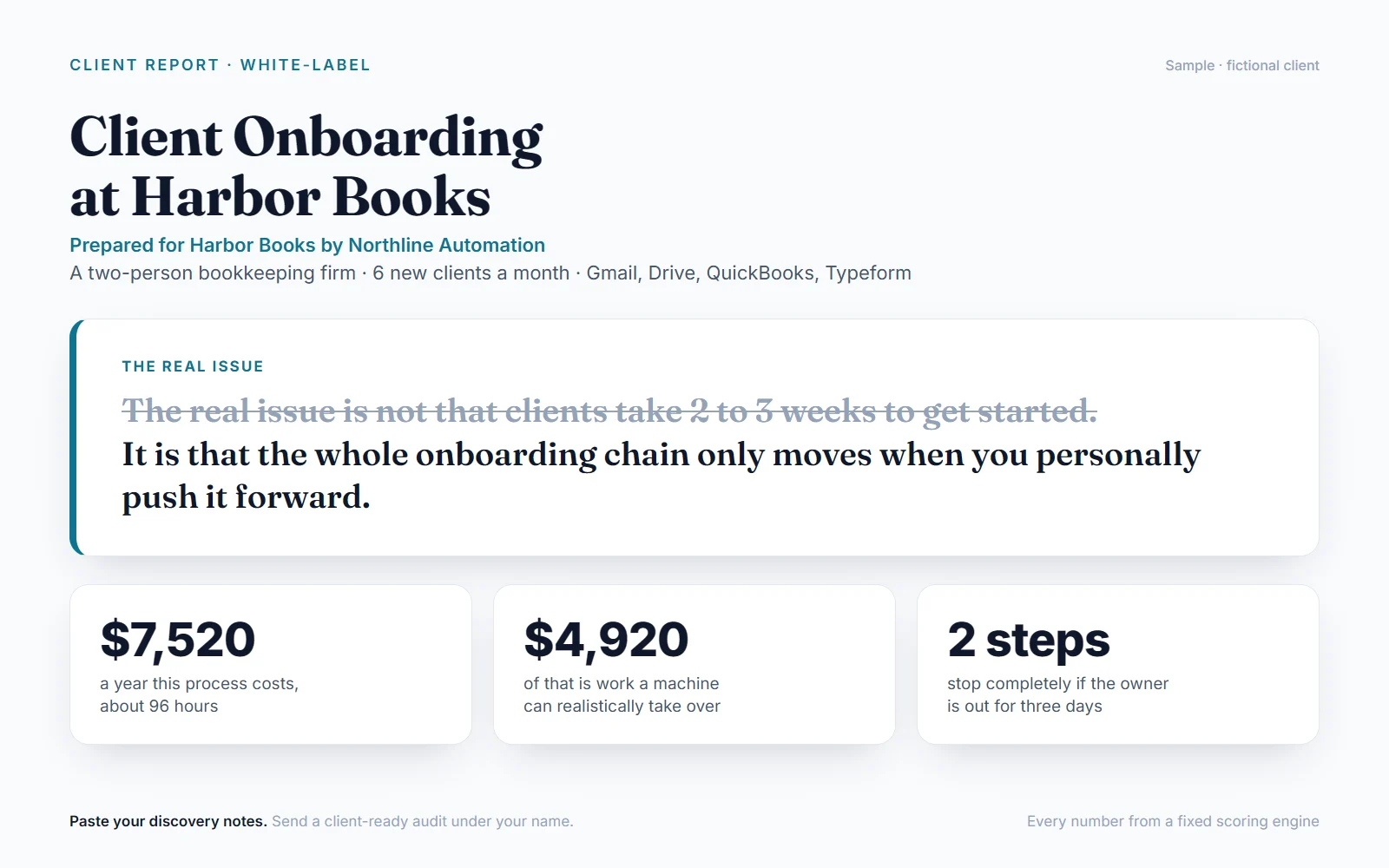
The client report (white-label)
- The real issue. "The real issue is not X. It is Y." The pattern behind the complaint, so you sound like the person who sees it clearly.
- What it costs them. Hours and dollars per year for the whole process and for the bottleneck steps, with every assumption shown.
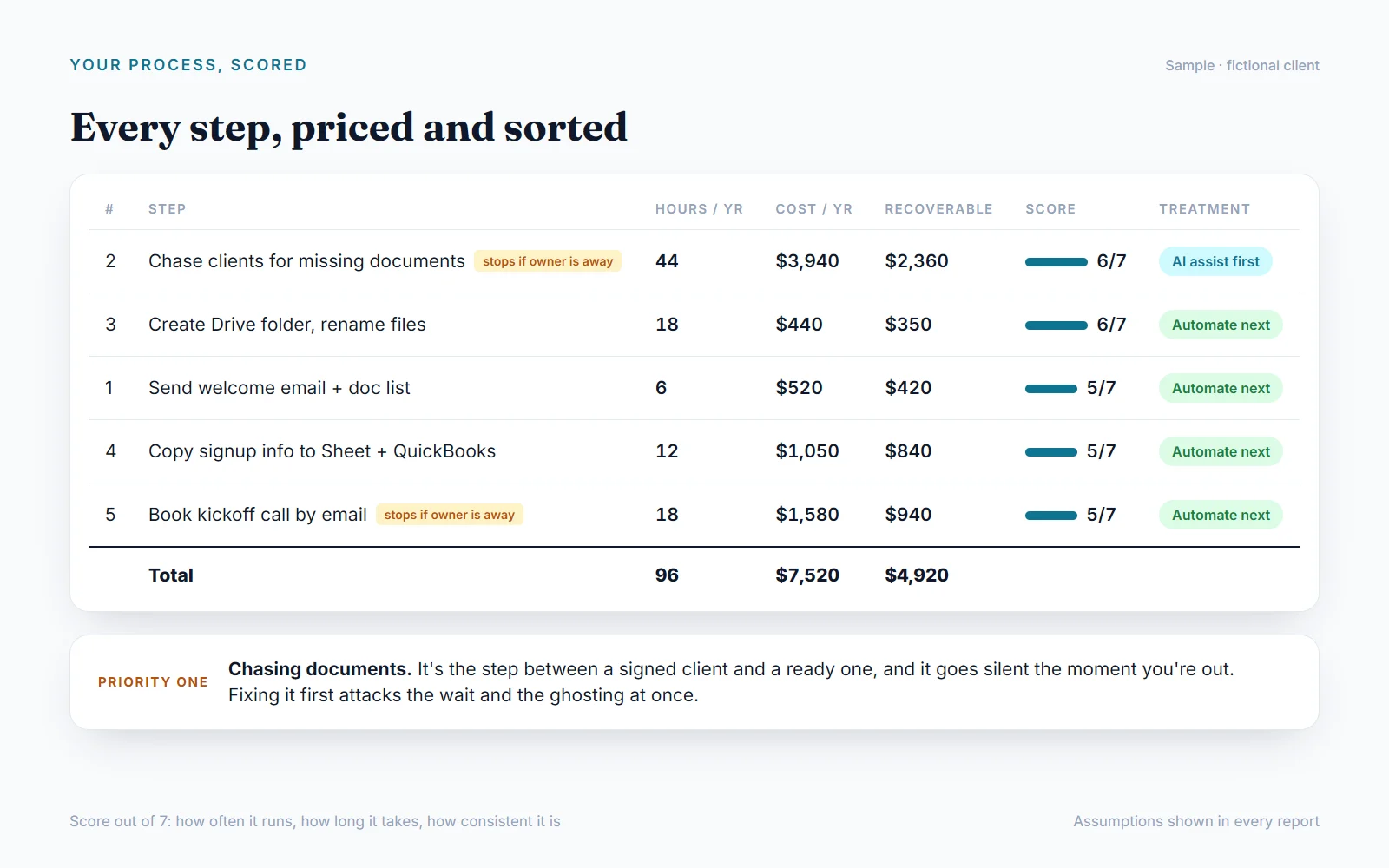
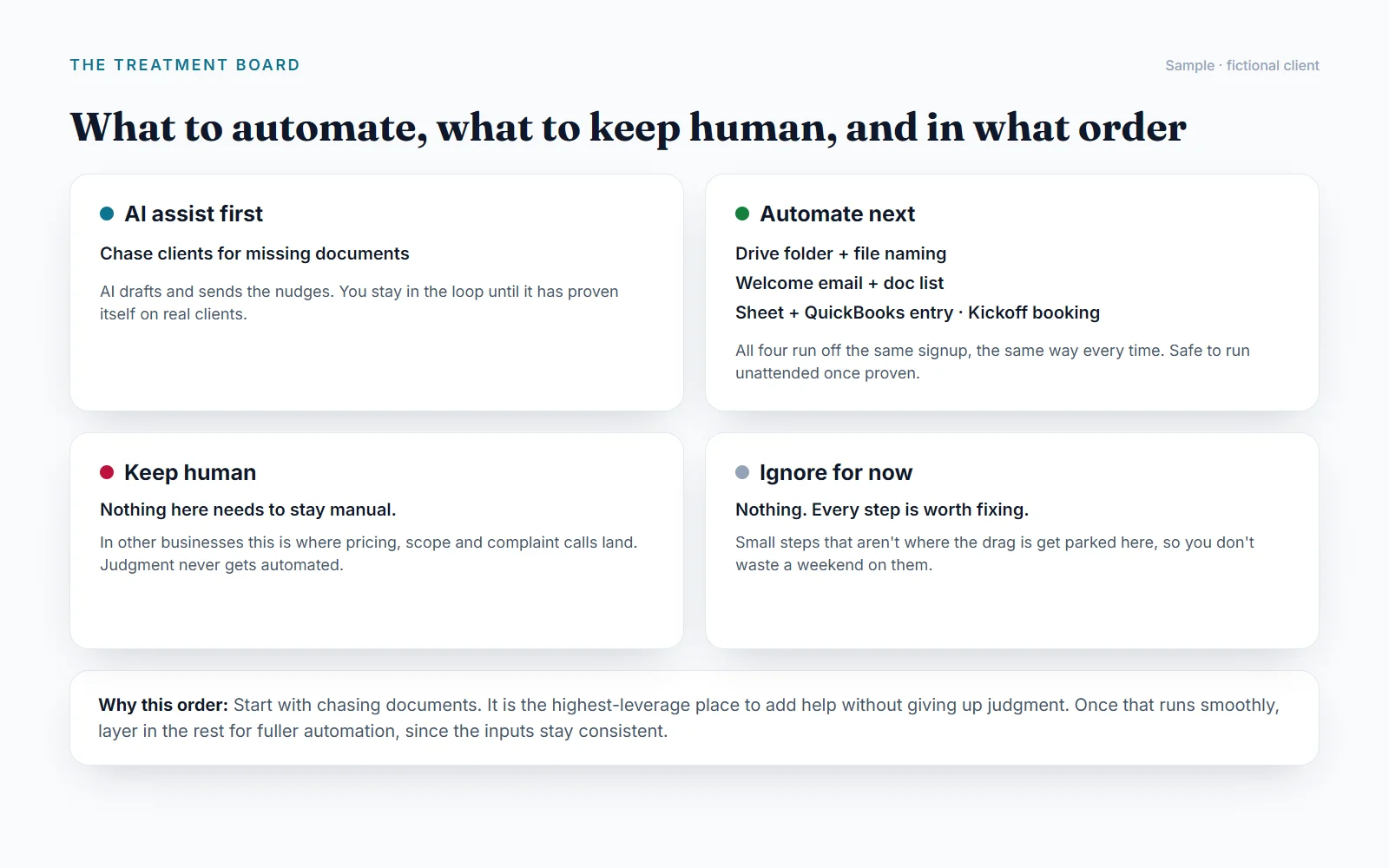
- Every step scored on frequency, time and consistency, and sorted onto a treatment board: AI assist first, automate next, keep human, ignore for now.
- Priority one, and the out-for-three-days risk. The step to fix first, and what stops when one person is away.
- Three fixes with tools that fit what they already use, effort, payback, and what could go wrong.
- A 30-day plan and three prompts their team can use today.
- Your name on it. No mention of AI or this tool.
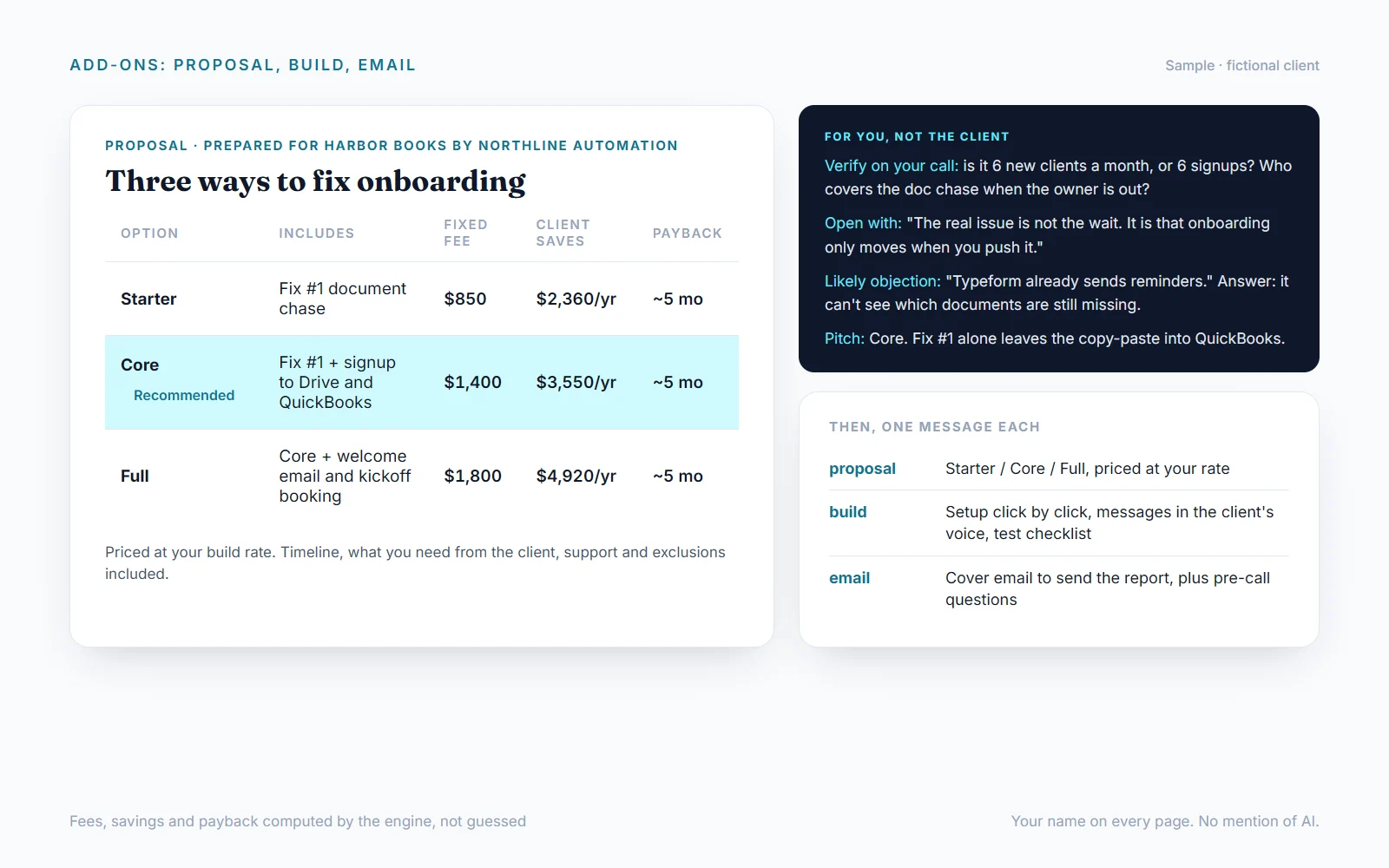
For you, not the client
Private notes after every report: the assumptions to check on your follow-up call, the line to open with, the objection they will raise and how to answer it, and which package to pitch.
The add-ons
- proposal: Starter / Core / Full options priced at your build rate, with build hours, fixed fee, client tool spend, client savings and payback for each. Plus timeline, what you need from them, support, and what's not included.
- build: the implementation kit for Fix #1. Setup click by click, every message the automation sends written in the client's voice, a test checklist and a handover how-to.
- email: a cover email to send the report, with a short pre-call question list.
Numbers you can defend
A fixed scoring engine computes every hour, dollar, score, fee and payback period. The report never invents a figure, and every assumption is listed so you can adjust it on the call.
FAQ
What should I ask the client on the discovery call? Walk through the last real case start to finish, then get rough numbers per step (how often, minutes each, who does it, what their hour is worth), the tools involved, what stops if the key person is out three days, the biggest complaint, and what "fixed" looks like. Reply prep for a pre-call form to send them, or paste their answers for a call script tailored to them.
How many requests does one client use? Three for the audit (notes, confirm, audit). One more each for prep, proposal, build and email. The weekly plan's 8 requests cover all of them for one client. Put everything in one message to save requests.
Do I need exact numbers? No. Rough answers work. Anything estimated is marked so you can confirm it with the client.
Can I send it as my own work? Yes. The report and proposal carry your name or firm and never mention this tool. Choose "unbranded" if you prefer.
What processes work best? Anything that runs every week and eats hours: intake, scheduling, quoting, invoicing, fulfilment, reporting, hiring.
What about client privacy? Refer to people by role. Don't paste client passwords, emails or phone numbers. If you do, they are never repeated in the output.
Is this legal or financial advice? No. Steps touching payroll, health data, payments or regulated records are flagged for the client to confirm with the right professional.
外部 API
api.runware.ai