

Turn any topic, document, notes, or raw information into a clear, professional presentation with structured slides, compelling content, speaker notes, and visual recommendations.

Create polished, animation-rich HTML presentations from scratch or convert PowerPoint decks into responsive web slides. 从零创建精美、动画丰富的 HTML 演示文稿,或将 PowerPoint 转换为响应式网页幻灯片。
Slides maker for turning research reports, analysis outputs, or domain skill results into presentation-ready decks — without touching a design tool. Content structured into slides, styled from 17 curated visual options matched by topic, then assembled into a final PPTX via editable HTML slides or full AI-rendered images. Unlike Canva or Gamma where you do the design, this handles the entire design layer — you provide the content, it delivers the styled deck.

This Codex skill turns reports, research notes, and meeting outputs into an executive-ready slide storyline with message titles, evidence mapping, visual recommendations, and speaker notes.
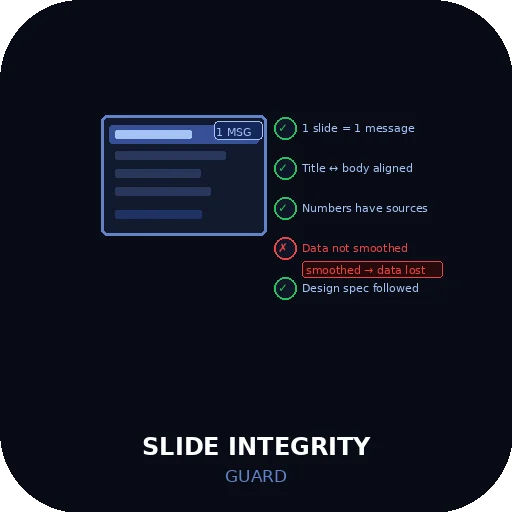
Runs five integrity checks on every slide before output — one message per slide, title-body alignment, number preservation, source citation for every data point, and design spec compliance — blocking any slide where data has been smoothed, sources are missing, or the title contradicts the body.

Built on Spatial Deck, an open-source (MIT) presentation framework. Paste rough notes, a Google Slides export, a PDF, or a PowerPoint outline and get back ONE finished HTML file: double-click to present in any browser, or drag it onto a free host for a live share link. Animated slides, themed sections, a constellation overview map, and speaker notes wired to a presenter view — no PowerPoint, no code, no account. Drop a NOTE: marker anywhere in your input and it writes that part for you.

Turn a topic or outline into a finished, browser-navigable HTML slide deck you can present full-screen and export cleanly to PDF — no PowerPoint, no design skills required.

Turns static PowerPoint decks into cinematic, brand-matched presentations with real Morph transitions and premium motion — not just a fade.

Turn approved notes into 4–10 branded slides with real PNG files, a PDF, editable JSON, captions and source references.