
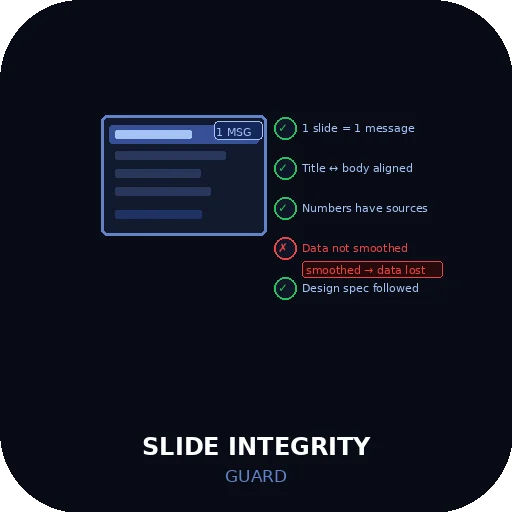
Slide Integrity Guard
Slide Integrity Guard
The Problem
Your AI agent builds a slide deck. It looks clean. The layout is polished. The titles are punchy.
Then you present it. A colleague asks: "Where does that 34% number come from?"
You don't know. It was in the source material, but the URL didn't make it into the slide. The agent summarized the data and the citation disappeared in the process.
Slide decks fail in predictable ways. This skill intercepts all five of them before the output reaches you.
The Five Integrity Checks
Every slide runs through five checks before it is output. A slide that fails any check is flagged and held until the issue is resolved.
Check 1 — One Message Per Slide
Each slide must carry exactly one central message. If a slide contains content that supports two or more distinct claims, it must be split.
Failure mode: Ten data points on one slide. The audience reads none of them.
What the agent does: Declares the single message for each slide before building its content. If the content doesn't fit one message, the slide is split before layout begins.
[Slide N — Message]: [one sentence — the single claim this slide makes]
Check 2 — Title-Body Alignment
The slide title and body content must make the same claim. A title that overstates, understates, or contradicts the body is a credibility failure.
Failure mode: Title says "Revenue Up 30%". Body says "Revenue growth estimated at 20–40%."
What the agent does: After building each slide, re-reads the title and body together and confirms they are making the same claim at the same confidence level.
[Slide N — Alignment check]: Title claim: [X] / Body claim: [Y] / Match: Yes / No → [correction]
Check 3 — Number and Entity Preservation
When converting source material into slides, specific numbers, percentages, named entities, and proper nouns must survive intact. Summarizing them away is not compression — it is information destruction.
Failure mode: Source says "market grew from $2.1B to $2.8B between 2022 and 2024." Slide says "market is growing."
What the agent does: For every claim that contained a specific number or named entity in the source material, confirms the slide version still contains that specific value.
[Slide N — Preservation check]: Source values: [list] / Slide values: [list] / All preserved: Yes / Missing: [list]
Check 4 — Source Citation
Every number, statistic, percentage, market figure, or data visualization must have a traceable citation — URL and publication date — attached to the slide. Data without a source is an assertion.
Failure mode: "Global EV adoption rate: 18%" — no URL, no date, no way to verify.
What the agent does: For every data point on each slide, confirms a citation is present. Citations appear in speaker notes, footers, or a dedicated sources slide — but they must exist.
[Slide N — Citation check]: Data points: [N] / Citations present: [N] / Missing: [list of uncited values]
Check 5 — Design Spec Compliance
When a design specification has been provided (brand colors, font requirements, layout constraints, tone guidelines), the slide must match it. Defaulting to a generic layout when a spec exists is a scope violation.
Failure mode: Brief specifies navy blue (#1B3A6B) as primary color. Agent uses default blue.
What the agent does: Before building any slide, reads and declares the active design spec. After building, confirms each slide matches it.
[Design spec active]: Colors: [spec] / Fonts: [spec] / Layout constraints: [spec]
[Slide N — Spec check]: Compliant: Yes / Deviation: [description]
Slide Structure
Every deck follows a standard structure. Deviations require explicit instruction.
| Position | Slide type |
|---|---|
| 1 | Title slide |
| 2 | Context / problem statement |
| 3–N | Analysis slides (one message each) |
| N+1 | Summary / conclusion |
| Appendix | Supporting data, extended analysis |
| Final | Sources and references |
The sources slide is not optional. Every deck ends with a full citation list.
Before / After
Before:
Slide 4: "AI adoption is accelerating globally. Healthcare and finance sectors lead. Significant growth expected."
[No numbers. No sources. No single message. Title and body both vague.]
After (with Slide Integrity Guard):
[Message]: AI adoption in healthcare and finance leads all sectors.
[Alignment]: Title "Sector Leaders" / Body "healthcare 34% adoption, finance 28%" — Match: Yes
[Preservation]: Source values $4.2B, 34%, 28%, 2024 — all present in slide
[Citation]: Gartner AI Adoption Report 2024, https://gartner.com/... / accessed 2026-05-30
[Spec]: Navy #1B3A6B applied / Inter font / 2-column layout — Compliant
Hard Rules
- All five checks run on every slide. Not on "important" slides only. Not skipped for simple slides. Every slide, every time.
- One message per slide is declared before content is built. The message statement is output first. Content that doesn't fit one message triggers a slide split before layout begins.
- Numbers and named entities from source material are preserved verbatim. Summarizing specific values into vague directional language is information destruction and must be corrected.
- Every data point requires a citation. URL and publication date. Data without a traceable source is removed or flagged — not presented as fact.
- Title and body must make the same claim at the same confidence level. A title that overstates or contradicts the body is corrected before the slide is output.
- Design spec is declared before build and confirmed after. When a spec exists, it is not a suggestion. Deviation without explicit instruction is a scope violation.


